
Prerequisites
- Be an Extracts Pro Administrator for your company
- Have at least one available Extracts Pro Project License for the project you're adding
- Have access to a Procore Project
Steps
- Navigate to the Extracts Pro home page
- Ensure you're in the Projects tab.
- Verify the number of available project licenses.
- In the top right-hand corner, select Add Projects. If you do not see the "Add Projects" Button, you are not an account administrator. Please contact your account administrator to either promote you to Admin or add your project.

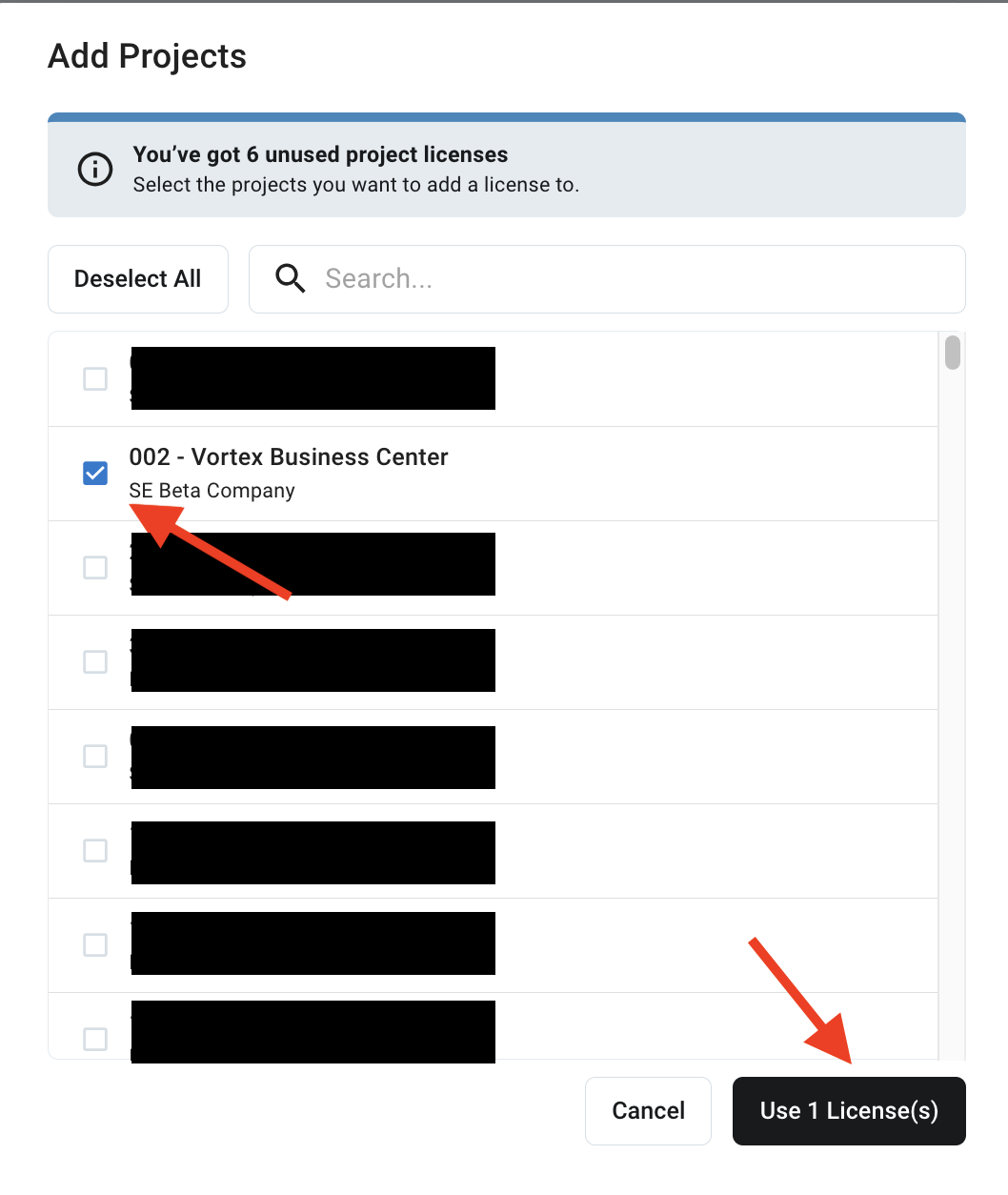
- Select the checkboxes next to which projects you'd like to add.
- Click Add Projects.
Troubleshooting
Not all of my Procore projects are listed when I click "Add Projects". What do I do?
- Ensure the person attempting to add projects has permission to the project in Procore.
- Sign out & back in to Extracts Pro (very top right-hand corner icon with a person).
- Your "project cache" may need refreshing.
- To refresh projects, navigate to the Extracts Pro home page and click the three dots in the top right-hand corner next to "Add Projects". Ensure the Procore company that the project is in has been selected, then click "Load Projects". This should refresh your available projects.
- Now, try to add the project.
- If none of these steps worked, please reach out to support@extractspro.com for additional assistance.